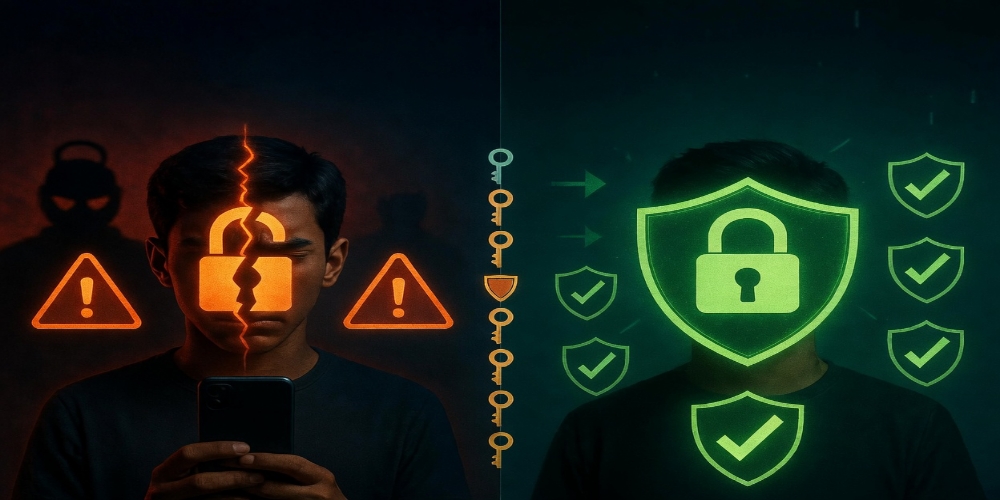
Getting your account hacked feels violating. One moment you are in control of your online presence. The next moment someone else is posting as you, messaging your contacts, or locking you out completely. The panic is real but the situation is fixable if you move quickly and follow the right steps.
Here is exactly what to do if your ModafVibe account gets compromised — and how to prevent it from happening again.
Step One: Try the Immediate Recovery Options
Do not panic and start clicking randomly. Go to the ModafVibe login page and click Forgot Password. Enter the email address or phone number linked to your account. If the hacker has not changed your recovery contact information yet, you will receive a reset link within minutes.
Check your email inbox and spam folder for the reset message. If you find it, reset your password immediately. Choose something completely new — not a variation of your old password. Something you have never used on any other platform.
If the password reset does not work because the hacker changed your email or phone number, look for the option that says Need More Help or Contact Support directly on the login page. This opens a recovery ticket with the ModafVibe security team.
Step Two: Use the Account Recovery Form
If basic password reset fails, ModafVibe has a dedicated account recovery process. Navigate to the Help Center from the login screen and select Report a Hacked Account. You will need to provide information that proves you are the original account owner.
The form asks for:
- Your account username or the URL of your profile
- The email address or phone number associated with the account before it was hacked
- An approximate date when you lost access
- Any details about how the hack happened if you know
- A new email address where the support team can reach you if your original email was changed
Fill every field as accurately as possible. Missing information slows down the review process. The more details you provide, the faster the team can verify your identity and restore access.
Step Three: Gather Proof of Ownership
While waiting for the support team response, gather anything that proves the account belongs to you. Screenshots of previous posts you made. Direct message conversations with friends on the platform. Any email notifications you received from ModafVibe for previous logins, password changes, or activity alerts.
If you ever received a verification badge confirmation email, that is strong evidence. If you have payment receipts for any ModafVibe subscriptions or purchases, save those immediately. Bank statements showing transactions with ModafVibe help confirm ownership.
Friends who can confirm the account belongs to you also help. Ask someone who knows you personally and follows your account to be ready to verify your identity if the support team requests additional confirmation.
Step Four: Secure Your Email Account Immediately
Most account hacks start with a compromised email account. If someone has access to your email, they can reset passwords on any platform linked to that email. Check your email account security right now even as you wait for ModafVibe support.
Change your email password to something strong and unique. Enable two-factor authentication on your email account if it is not already active. Check your email settings for any forwarding rules or recovery email addresses the hacker might have added — hackers often add their own recovery options to maintain access even after you change your password.
Review recent login activity on your email account. Most email providers show the locations and devices that accessed your account recently. Look for anything you do not recognize. Log out all other sessions after changing your password to force the hacker out completely.
Step Five: Check Connected Accounts and Apps
If you used Sign In With Google or similar connected account features to access ModafVibe, check those connected accounts for suspicious activity. Change those passwords as well. Remove any third-party app permissions you do not recognize.
Sometimes hackers gain access through connected apps rather than directly compromising your ModafVibe password. Review which apps have permission to access your account under Settings > Connected Apps once you regain access. Remove anything unfamiliar.
Step Six: Wait for the Support Response
ModafVibe typically responds to hacked account reports within twenty-four to seventy-two hours. Response times vary based on volume. Submitting multiple tickets slows the process — submit one detailed report and wait.
Check the new email address you provided on the recovery form regularly, including the spam folder — support replies sometimes land there. Reply promptly to any follow-up questions from the support team. Delayed responses from your side extend the recovery time.
Step Seven: After You Regain Access
The moment you get back into your account, take these security actions immediately:
- Change your password again to something strong that you have never used anywhere
- Enable two-factor authentication through Settings > Security — use an authenticator app rather than SMS when possible, since SIM swapping attacks can intercept text message codes
- Review your account details — display name, bio, profile picture, and contact information for any small changes hackers may have made
- Check your recent posts and delete anything the hacker published
- Check your direct messages to see if the hacker contacted anyone pretending to be you
Notify your followers that your account was compromised. A simple post explaining what happened and confirming you are back in control protects your contacts from any scams the hacker might have attempted while posing as you.
How to Prevent Future Hacks
Use a unique password for ModafVibe that you do not use anywhere else. Password reuse is the most common way accounts get compromised — a breach on one platform exposes your credentials on every other platform where you used the same password.
Enable two-factor authentication now rather than after a hack happens. The minor inconvenience of entering a code adds significant protection. Do not share your login details with anyone — not assistants, not friends, not services that promise to grow your account.
Be skeptical of suspicious links in direct messages even from accounts you recognize. Hackers often use compromised accounts to send malicious links to contacts. If a message feels out of character for the sender, verify through another channel before clicking anything.
Regularly review your active sessions under Settings > Security. ModafVibe shows all devices currently logged into your account. Log out any sessions you do not recognize immediately.
Getting hacked is stressful but it is not permanent. Follow these steps, stay patient with the recovery process, and secure your account properly once you are back in control. Your ModafVibe community will still be there when you return.
Need a safer platform for your online community? ModafVibe prioritizes account security with two-factor authentication, active session monitoring, and a responsive support team that handles recovery requests from real people.