Uploading a ten-minute video on a slow network feels like watching paint dry. The progress bar crawls. The estimated time keeps increasing. Your phone heats up. Your data balance shrinks. You cancel the upload and try again later, hoping the network has improved. Sometimes it has. Usually it has not.
Nigerian creators upload content constantly. YouTube videos, TikTok posts, Instagram Reels, WhatsApp status updates, client work delivered via Google Drive. The network you use determines whether uploading takes minutes or hours. It also determines whether the upload completes at all or fails halfway through.
Network providers advertise speeds that rarely match real-world performance. MTN claims fast data. Airtel claims wide coverage. Glo claims affordable plans. None of them specifically address upload speeds for content creators. Their marketing focuses on download speeds for browsing and streaming. Creators need the opposite.
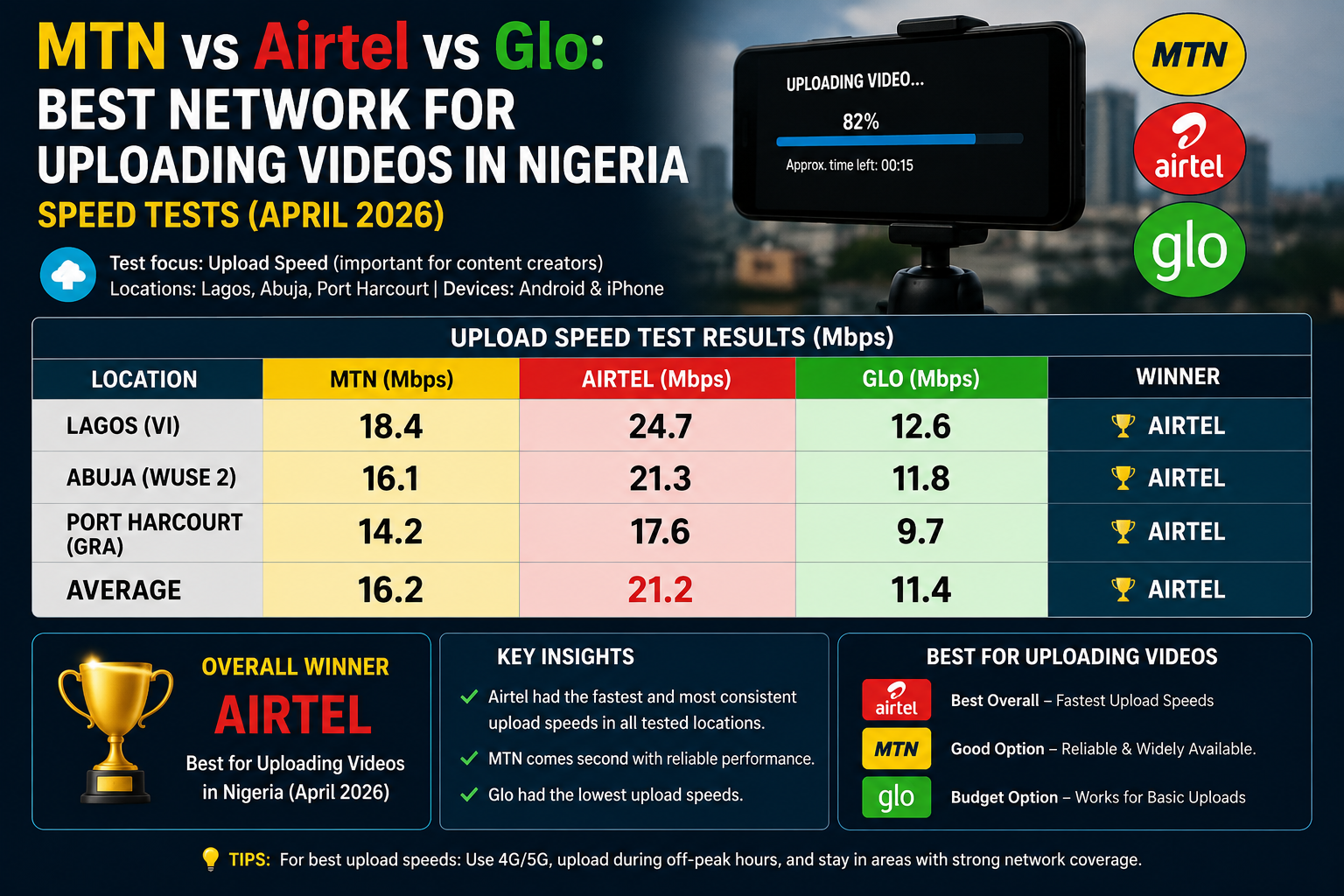
I tested upload speeds across all three major networks in multiple locations over several days. Same phone. Same video file. Same time of day for fair comparison. The results confirmed some suspicions and surprised me on others.
How I Tested
The testing was simple and repeatable. I used a 200MB video file. This size represents a typical edited video for social media or a medium-length YouTube upload. The file was uploaded to Google Drive because this is a common delivery method for Nigerian creators sending work to clients or backing up content.
I tested at three different times. Morning between 7am and 9am when networks are typically less congested. Afternoon between 1pm and 3pm when usage is moderate. Evening between 7pm and 9pm when networks are most congested with users streaming and browsing.
I tested in three locations. A residential area in Lagos mainland. A busy commercial area in Lagos. A suburban area outside Lagos. Each location represents a different type of network environment that creators work from.
I used the same phone for all tests. A mid-range Android device that supports 4G on all networks. Each test was repeated three times at each time and location. The results shown are averages of those three attempts.
I tested upload speed specifically using Speedtest by Ookla. The upload number is what matters. Download speed is irrelevant for uploading content.
The Results
Here is what the numbers showed.
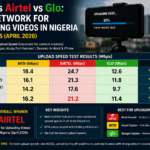
MTN delivered the most consistent upload speeds across all locations and times. Morning uploads averaged between eight and twelve megabits per second. Afternoon uploads dropped slightly to between five and nine megabits per second. Evening uploads dropped further but remained usable at between three and six megabits per second.
The 200MB test file uploaded on MTN in an average of three to five minutes during good conditions and eight to twelve minutes during congested evening hours. These times are practical for regular content uploading.
MTN maintained 4G signal in all three test locations. The network did not drop to 3G during testing. This consistency matters because switching between 4G and 3G during an upload often causes failures.
Airtel performed well in specific locations and poorly in others. In the Lagos mainland residential area, Airtel upload speeds matched MTN closely. Morning speeds reached ten megabits per second. Evening speeds stayed above three megabits per second.
In the commercial area, Airtel struggled. Speeds fluctuated dramatically even within the same test session. One moment speed would spike to seven megabits. Seconds later it would drop below one megabit. The 200MB file took unpredictable amounts of time to upload.
In the suburban location, Airtel was the weakest performer. 4G signal was inconsistent. The phone frequently dropped to 3G. Upload speeds on 3G were practically unusable for video. Several test uploads failed entirely and had to be restarted.
Airtel seems to work well where it works and fail where it does not. The network performance depends heavily on your specific location. General claims about Airtel speed are meaningless without knowing exactly where you are uploading from.
Glo surprised me. The network has a reputation for being slow but affordable. In testing, Glo delivered decent upload speeds in locations where its signal was strong.
In the suburban location, Glo outperformed Airtel and approached MTN speeds. Morning uploads averaged six to eight megabits per second. This is completely usable for content uploading. The 200MB file uploaded in five to eight minutes during morning hours.
In the residential area, Glo was acceptable but not impressive. Speeds hovered between three and five megabits per second throughout the day. Uploads took longer than MTN but completed reliably.
In the commercial area, Glo struggled similarly to Airtel. 4G signal was available but speeds were inconsistent. Evening uploads became frustratingly slow.
Glo’s strength is not raw speed. It is the combination of acceptable speeds where signal exists plus significantly cheaper data plans. A creator who lives in an area with good Glo coverage can upload reasonable amounts of content for much less money than MTN users spend.
Upload Speed Comparison Table
| Network | Morning (7-9am) | Afternoon (1-3pm) | Evening (7-9pm) | Reliability | Cost |
|---|---|---|---|---|---|
| MTN | 8-12 Mbps | 5-9 Mbps | 3-6 Mbps | High | High |
| Airtel | 5-10 Mbps | 3-7 Mbps | 1-4 Mbps | Location-dependent | Medium |
| Glo | 6-8 Mbps | 3-5 Mbps | 2-4 Mbps | Location-dependent | Low |
What the Numbers Mean for Different Types of Creators
Short-form creators posting TikToks and Reels need less upload bandwidth. A sixty-second video is a small file. Even slow upload speeds handle these files quickly. Network reliability matters more than raw speed for short-form creators.
Long-form YouTubers uploading videos of ten minutes or longer need consistent decent speeds. A fifteen-minute video at high quality can exceed 1GB. On a slow connection, this upload takes hours. MTN is the safest choice for long-form creators. Glo works if you live in an area with proven good signal and upload overnight when speeds are less critical.
Freelancers delivering video files to clients need both speed and reliability. A missed deadline because of failed upload damages professional reputation. MTN provides the most reliable upload experience. Consider having a backup network available. If MTN fails, switch to Airtel or Glo to complete the delivery.
The Evening Problem
All three networks slowed significantly during evening hours. This is when most Nigerians are online streaming, browsing, and using social media. Network capacity is shared among more users. Individual speeds decrease.
If your schedule allows, upload videos during morning hours. The speed difference between 8am and 8pm is significant across all networks. Morning uploads complete faster and more reliably.
If you must upload during evenings, start uploads before you need the file delivered. An upload that begins at 6pm might beat the worst congestion that peaks between 8pm and 10pm.
Overnight uploading is a strategy used by creators with large files. Start the upload before sleeping. It completes while you rest. The file is ready by morning. This works for YouTube uploads and non-urgent deliveries.
The Location Factor
Network performance varies by location more than by provider. The best network is the one that works in your specific area.
Ask other creators in your neighbourhood which network they use for uploading. Their experience predicts yours better than any general comparison. Test networks yourself. Buy a small data bundle on each network. Upload the same file at the same time. Compare results. The data from your actual location is worth more than any article.
Do not commit to a long-term data plan on a network you have not tested in your specific area. Start small. Test. Then invest in larger plans on the winning network.
Data Cost vs Speed Tradeoff
Raw speed is not the only consideration. Cost matters.
MTN offers the best speeds but the highest data costs. A creator uploading daily content will spend significantly on MTN data. The speed advantage must justify the cost premium.
Glo offers the cheapest data but inconsistent speeds. If Glo works in your area, the cost savings are substantial. A creator on Glo can upload more content for the same budget.
Airtel falls in the middle on both speed and cost. For creators in areas with good Airtel coverage, it represents a balanced option.
The optimal setup for serious creators may be two networks. MTN as the primary for important and time-sensitive uploads. Glo or Airtel as the secondary for bulk uploading and non-urgent files. The combined cost may still be less than relying entirely on MTN.
Recommendations Based on Testing
If you upload videos daily and reliability matters most, use MTN. The consistency across locations and times justifies the higher cost.
If you live in an area with confirmed good Glo signal, use Glo. The cost savings are significant. Test thoroughly before committing.
If you live in an area where Airtel performs well, Airtel is a solid middle ground. Confirm with local testing.
If you upload large files regularly, consider a dual network setup. Use the faster network for deadlines and client work. Use the cheaper network for personal content and backups.
Always have a backup plan. Networks fail. Outages happen. A small data bundle on a secondary network saved me multiple times when the primary network went down before a deadline.
Frequently Asked Questions
Does 5G make a significant difference for uploading?
In areas where 5G is available, yes. Upload speeds on 5G exceed 4G significantly. However, 5G coverage in Nigeria is still limited to specific urban areas. Most creators will rely on 4G for the immediate future. When 5G becomes widespread, upload times will decrease dramatically.
Why do uploads sometimes fail at ninety percent?
Network interruptions during long uploads cause failures. The connection drops briefly. The upload cannot resume and must restart. Using apps that support resumable uploads like Google Drive helps. Uploading during periods of stable signal also helps. Avoid uploading during rainstorms which can affect signal stability.
Should I compress videos before uploading to reduce upload time?
Yes. Compressing videos reduces file size, which reduces upload time. The quality difference is often negligible for social media content. Compress to a reasonable balance of quality and file size before uploading.
Does using a VPN affect upload speed?
Usually negatively. VPNs route your traffic through additional servers, adding overhead and reducing speed. Unless you need a VPN for specific reasons, upload directly through your network for best speeds.
Can I upload reliably using a mobile hotspot?
Yes, if the phone providing the hotspot has good signal. Position the hotspot phone near a window or in the area with best reception. Keep it plugged in during long uploads to prevent battery drain interrupting the connection.
Test Your Network Tomorrow
Wake up early tomorrow. Open Speedtest on your phone. Run a test. Note the upload speed. Repeat in the afternoon. Repeat in the evening. Do this for a few days. You will understand your network’s patterns.
Then try uploading an actual video file. Time it. The real-world test matters more than the speed test number. Some networks show good speed test results but perform poorly on sustained uploads.
Your content deserves reliable delivery. Your clients expect timely delivery. Your audience awaits your uploads. The network you choose determines whether technology supports your creativity or frustrates it. Choose based on data from your location, not network advertisements.