Video content performs better on every social platform including ModafVibe. But hiring an editor is expensive and professional editing software comes with a learning curve most people do not have time for. Free mobile editing apps have become good enough that you genuinely do not need anything else to create quality content.
I tested the three most popular free video editors for a week: CapCut, InShot, and VN. Here is how they compare for creating short social media videos and which one fits your specific needs.
CapCut: The All Rounder With a Catch
CapCut is everywhere right now and for good reason. The free version gives you multi-layer timeline editing, a massive library of transitions, auto captions that actually work well, and trending templates that let you create in minutes what would take an hour manually.
The auto caption feature alone saves serious time. Upload your video, tap a button, and CapCut generates captions synced to your speech. You can edit the text, change fonts, and adjust positioning. This matters because many people watch videos without sound and captions keep them engaged.
The templates are both a strength and a weakness. They let you create polished videos fast but your content can end up looking identical to thousands of other posts using the same template. If you want your ModafVibe content to stand out, use templates sparingly or customize them heavily before exporting.
The main downside is export quality on the free tier. CapCut adds a small watermark and sometimes compresses video slightly more than competitors. For most social media content the difference is barely noticeable. If you are exporting something you want to look pristine, this might bother you.
Best for: Creators who want the fastest editing workflow with auto captions and do not mind a light watermark on exports.
InShot: Simple and Reliable With No Surprises
InShot has been around longer than most video editing apps and the experience shows. The interface is cleaner and simpler than CapCut. Everything is clearly labeled and you rarely need to hunt for a feature.
Trimming and splitting clips feels intuitive. Adding background music is straightforward with a built-in library of free tracks that do not trigger copyright issues. The speed adjustment controls let you create smooth slow motion or quick cuts without the jittery look some apps produce.
Text tools in InShot are solid but less automated than CapCut. You add captions manually which takes more time but gives you full control over placement and timing. If you want every caption exactly where you want it rather than where an algorithm guesses it should go, this manual control becomes a feature rather than a limitation.
InShot places a watermark on free exports but it is smaller and less intrusive than CapCut. Image and video quality remains strong after export without visible compression issues.
Best for: Creators who want a clean straightforward editor and prefer manual control over automated features.
VN Video Editor: Powerful and Surprisingly Free
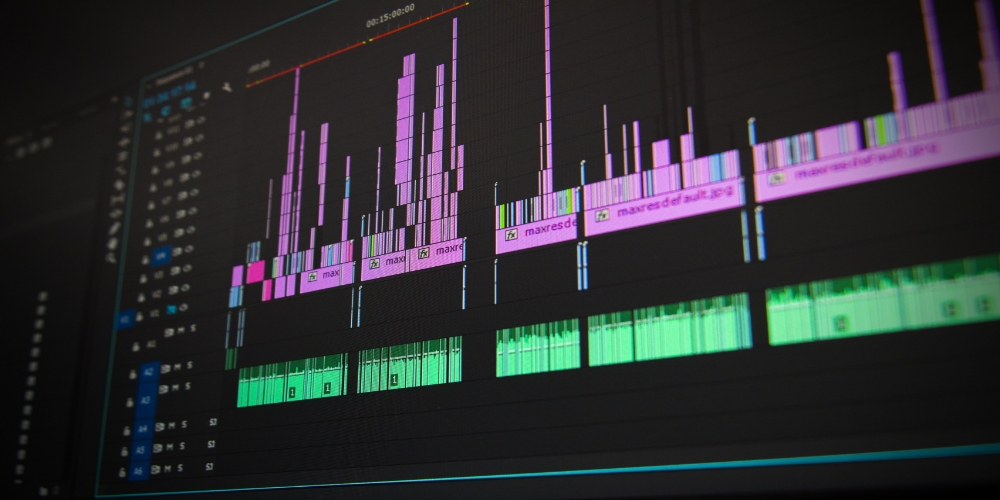
VN is the app that feels like it should cost money but somehow does not. The feature set rivals desktop editing software. Multi-track timeline. Keyframe animation. Customizable curves for speed ramping. Picture in picture. Chroma key for green screen effects. All free.
There is no watermark on exports. None. VN lets you export clean video at full quality without paying anything or watching ads. That alone makes it worth a serious look if you plan to use your videos beyond social media.
The tradeoff is complexity. VN has more features which means more menus and more time learning where everything lives. Creating a simple video takes longer in VN than in InShot because the interface is built for capability rather than speed. If you only need basic trimming and text, VN feels like overkill. If you want to create more ambitious content with custom animations or layered effects, VN is the clear winner.
The template library is smaller than CapCut and the auto caption feature is less polished. VN assumes you want to build things from scratch rather than start from a template. Some creators love that freedom. Others just want to finish their video quickly.
Best for: Creators who want professional features without paying anything and are willing to invest time learning the tool.
Which One You Should Pick
- Pick CapCut if speed matters most and you rely heavily on auto captions and templates. The watermark is a small price for how fast you can produce content.
- Pick InShot if you want a simple reliable editor that gets out of your way. It does the basics well without overwhelming you with features you will never touch.
- Pick VN if you want the most powerful free editor available and do not mind a learning curve. No watermark and full feature access make it the best value overall.
Honestly, download two of them. Try editing the same short video in both. See which interface feels natural to you. The best editor is the one you will actually use consistently, not the one with the longest feature list.
Creating video content for ModafVibe does not require expensive tools or advanced skills. Grab one of these free editors, film something useful or entertaining, and start posting. Your audience is waiting for content that only you can make.