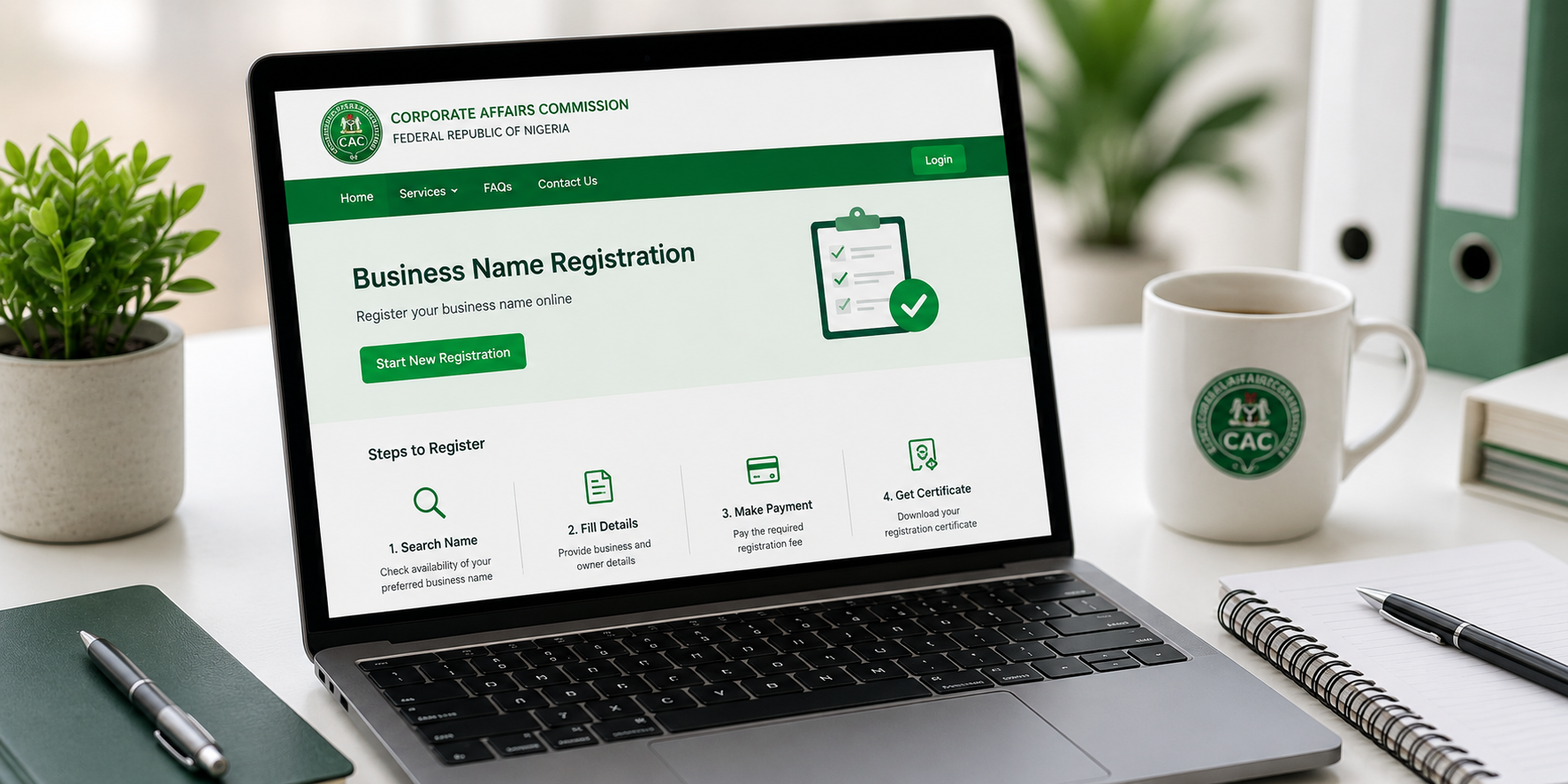
You want to register your business name with the Corporate Affairs Commission. You ask around and people tell you to use an agent. The agent charges between thirty thousand and fifty thousand naira for a registration that officially costs a fraction of that amount. You pay because the process seems complicated and you do not want to make mistakes.
The truth is the CAC has moved most of its registration process online. You can register your business name directly from your phone without paying anyone extra. The official fee for business name registration is significantly less than what agents charge. The process takes a few days to a few weeks depending on name availability and CAC processing times.
This guide walks you through the current process as of 2026. CAC updates its portal periodically so some screens may look slightly different, but the core steps remain consistent.
What You Need Before Starting
Preparation prevents frustration during the registration process. Gather these items before you begin.
Your proposed business name. Prepare at least two alternatives in case your first choice is already taken. Business names must be unique and not identical or closely similar to existing registered names. Avoid names that suggest government affiliation unless you have authorization. Avoid names that are offensive or misleading.
Your personal details. Full name as it appears on your identification documents. Date of birth. Phone number. Email address. Residential address. These details appear on the registration forms.
A valid means of identification. National ID card, voter’s card, driver’s license, or international passport. You need the ID number and the expiration date. The name on your ID must match the name you use for registration.
A passport photograph. A clear digital photo with a plain background. The photo should be recent and show your full face clearly. This uploads to the CAC portal.
Your business address. This can be your home address if you operate from home. It does not need to be a commercial property. The address serves as the official location of the business for CAC records.
An email address you actively use. All CAC communications come through email. Use an email you check regularly and will maintain access to permanently.
A phone number registered to you. CAC may send verification codes to this number.
Step 1: Create an Account on the CAC Portal
Visit the CAC registration portal at www.cac.gov.ng. Open the link in Chrome on your phone. The portal is mobile responsive and works on Android and iPhone browsers.
Look for the option to create an account or register as a new user. The exact wording varies with portal updates but is prominently displayed on the homepage.
Fill in your personal details as requested. Name, email, phone number. Create a strong password. Use a combination of uppercase letters, lowercase letters, numbers, and symbols. Save this password somewhere secure. You will need it to log in and access your registration documents later.
Verify your email address. CAC sends a verification link to the email you provided. Open your email app, find the message, and click the verification link. Check your spam folder if the email does not appear in your inbox within a few minutes.
Verify your phone number if prompted. CAC may send an SMS with a verification code. Enter this code on the portal.
Your account is now active. You can log in and begin the registration process.
Step 2: Conduct a Name Availability Search
Before paying any fees, confirm your proposed business name is available.
Log into your CAC account. Navigate to the name reservation or name search section. The portal offers a search function where you type your proposed name and check availability.
Type your first choice business name exactly as you want it registered. The system searches its database and returns a result. If the name is available, it shows as available for reservation. If taken, it shows as unavailable and may show similar existing names.
If your first choice is unavailable, try your prepared alternatives. Adjust slightly. Add a descriptive word. Change the order of words. The goal is a unique name that still represents your business.
Once you find an available name, reserve it. Name reservation typically costs a small fee separate from the registration fee. The reservation holds the name for a period during which you must complete registration before the reservation expires.
Step 3: Complete the Business Name Registration Form
With your name reserved, proceed to the registration form.
Select business name registration as the registration type. This is different from company registration which is for limited liability companies. Business name registration is simpler and cheaper, suitable for sole proprietors and small partnerships.
Fill in the business details. The registered business name as approved during name search. The nature of business which describes what your business does. Be specific but concise. Examples include “General merchandise trading,” “Digital marketing services,” “Fashion design and tailoring.”
Fill in proprietor details. This is you as the business owner. Your full name, address, identification details, and passport photograph upload. Double check that your name matches your ID exactly. Mismatches cause delays.
If the business has multiple proprietors, add each person with their details and identification. For sole proprietorships, only your details are needed.
Review all entered information carefully. Check for spelling errors in names and addresses. Confirm identification numbers are correct. Errors discovered after submission require formal correction processes.
Step 4: Pay the Registration Fee
The CAC portal generates a payment invoice based on your registration type.
Business name registration fees are set by CAC and are publicly listed on the portal. The fee is significantly lower than what agents charge. As of current rates, business name registration costs are affordable for most small business owners.
Payment is made through the Remita platform integrated into the CAC portal. You can pay online using a debit card if your bank supports online transactions. Alternatively, the portal generates a Remita Retrieval Reference that you can take to any bank branch for over-the-counter payment.
After payment, the portal updates your application status to paid. Keep your payment receipt and the Remita reference number. You may need them for reference if any payment issues arise.
Step 5: Wait for Processing and Approval
CAC processes applications in the order received. Processing time varies based on application volume. Some applications are approved within days. Others take a few weeks.
Check your email regularly. CAC sends status updates including approval notification and the registration certificate. The approval email contains your registration number and confirms your business name is officially registered.
If CAC identifies issues with your application, they send a query email explaining what needs correction. Respond promptly with the requested information. Delayed responses extend processing time.
Step 6: Download Your Registration Documents
Once approved, log into your CAC portal account. Navigate to your applications or registered businesses section. The portal provides access to your registration certificate and other documents.
Download the certificate of registration. Save it to your phone. Email it to yourself as a backup. Print physical copies for your records. The certificate is the official proof that your business name is registered.
Download the status report if available. This document shows the current standing of your business name. Some organizations require this for account opening and other formal processes.
Registration Steps Summary
| Step | Action | Time Required | Cost |
|---|---|---|---|
| 1 | Create CAC portal account | 10 minutes | Free |
| 2 | Name availability search & reservation | 15 minutes | Small reservation fee |
| 3 | Complete registration form | 20-30 minutes | Free |
| 4 | Pay registration fee via Remita | 10 minutes | Official CAC fee |
| 5 | Wait for processing | Days to weeks | N/A |
| 6 | Download certificate | 5 minutes | Free |
After Registration
Registration is the beginning, not the end.
File annual returns with CAC. Business names must file annual returns to remain in good standing. The CAC portal provides the filing mechanism. Failure to file can result in penalties or eventual delisting.
Update your business information if it changes. Address changes, additional proprietors, or changes in business nature should be updated with CAC through the portal.
Use your registration documents to open a business bank account. Most Nigerian banks require CAC registration for business accounts. Your registration certificate satisfies this requirement.
Display your business name certificate at your place of business if applicable. Some regulatory inspections expect to see the certificate displayed.
Common Mistakes to Avoid
Using an unavailable name and hoping the system accepts it. Name search happens. Unavailable names are rejected.
Entering identification details that do not match exactly. The name on your ID, the name on your CAC account, and the name on your registration form must be consistent.
Uploading blurry or incorrect documents. Passport photographs should be clear. Identification documents should be fully visible and readable.
Ignoring CAC emails after submission. Queries require timely responses. Check your email regularly during the processing period.
Forgetting annual returns. Registration is not permanent without compliance. Set a yearly reminder to file returns.
Frequently Asked Questions
How much does CAC business name registration actually cost?
The official fee is publicly available on the CAC portal. It is significantly less than agent fees. Check the portal for current rates as fees occasionally change.
Can I register from outside Nigeria?
Yes, if you have Nigerian identification documents. The online portal is accessible from anywhere. Payment may require Nigerian debit card or bank transfer arrangements.
How long does the entire process take?
Name reservation is instant or takes a day. Registration processing takes days to a few weeks depending on CAC volume. The total time from start to certificate in hand is typically one to four weeks.
What if my name reservation expires before I complete registration?
Complete registration within the reservation validity period. If it expires, you must reserve again and pay the reservation fee again. Do not delay after reserving.
Can I upgrade from business name to limited liability company later?
Yes, but it is a separate registration process, not an upgrade. You register the limited company separately. The business name and limited company can coexist or the business name can be cancelled.
Register Your Business This Week
Open the CAC portal on your phone. Create your account today. Search your proposed business name. Reserve it if available. Complete the form. Make payment directly through the portal.
You have now registered your business name for the official fee without paying an agent premium. The money saved stays in your business. The knowledge gained allows you to help others do the same.
Your business now exists officially. The certificate proves it. Open your bank account. Print your letterhead. Operate with the confidence of formal registration. You did it yourself. That counts for something.