You finally got the email. A brand wants to work with you. They love your content. They want to know your rates and audience demographics. Then they ask the question that makes your stomach drop. “Can you send your media kit?”
You know what a media kit is. A document that showcases your value to potential sponsors and partners. But you do not have one. You have been so focused on creating content that the business side of things stayed on the back burner. Now a real opportunity is in front of you and you have nothing professional to send.
This happens to Nigerian creators every day. Brand deals are lost not because the creator lacks value but because they failed to package that value professionally. A media kit bridges the gap between being a content creator and being a business that brands want to invest in.
The good news is that creating a media kit takes a few hours, not weeks. You can build one entirely on your phone using free tools. This guide walks you through every step.
What a Media Kit Actually Does
A media kit answers the questions every brand asks before spending money on a creator. Who is this person? What kind of content do they make? Who watches or follows them? How engaged is their audience? Has working with them produced results before? How much does it cost?
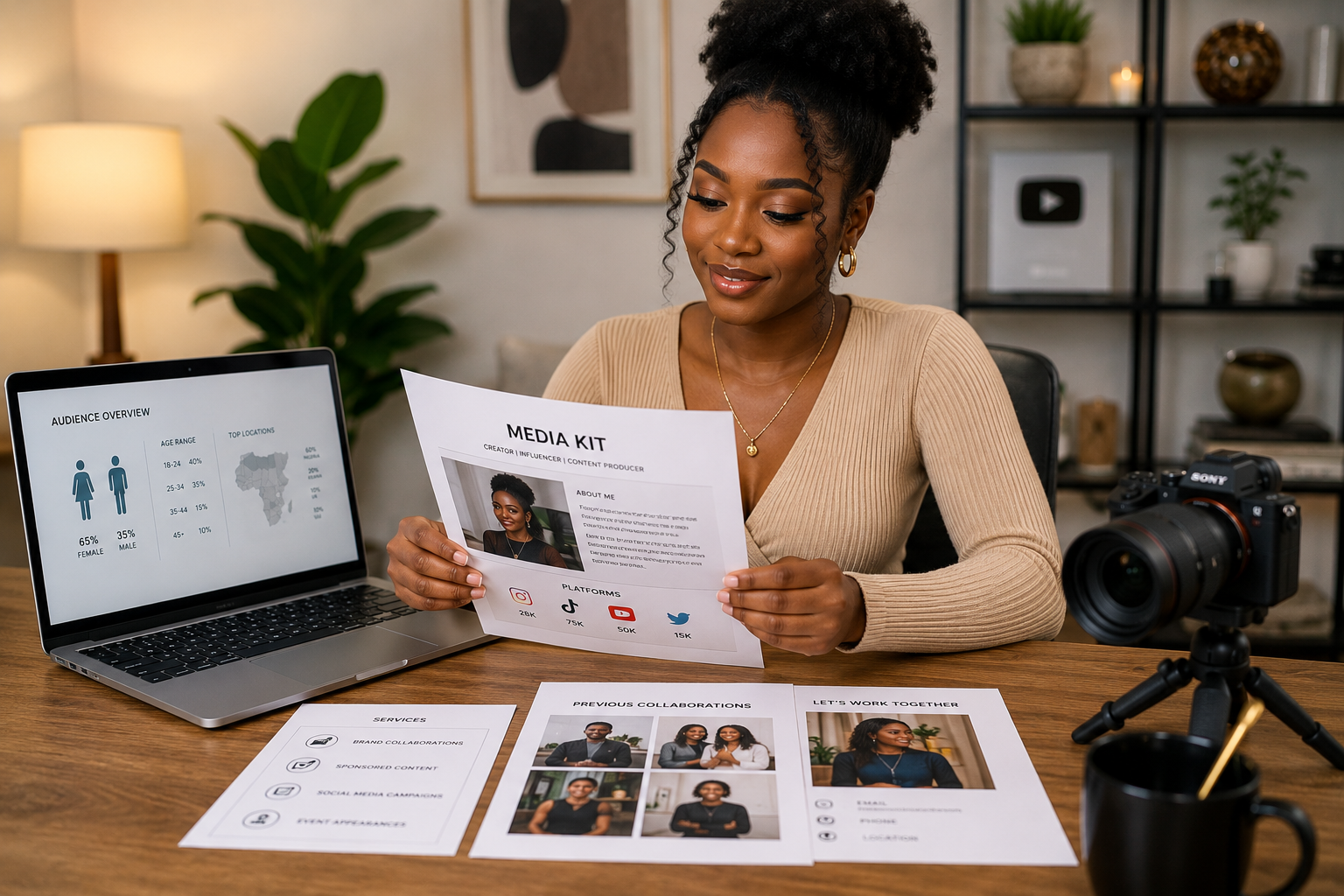
A good media kit answers these questions in a format that is easy to read and professional to share. It is typically a PDF document between one and three pages. It includes your bio, your audience statistics, examples of your best work, and your collaboration options.
Brands receive dozens of pitches weekly. The creator who responds with a clean, informative media kit within hours of being asked stands out immediately. The creator who takes days to reply with scattered screenshots of their Instagram insights often loses the opportunity to someone more prepared.
What to Include in Your Media Kit
Start with your name and a professional photo. A clear headshot where you look approachable and confident. This is not the place for heavily filtered selfies. A photo taken in good natural light against a clean background works perfectly. If you do not have one, ask a friend to take it this week.
Next comes your bio. Three to four sentences about who you are and what you create. Do not try to sound like a corporate brochure. Write as yourself. Mention your niche, your content style, and what makes your perspective unique. If you create tech reviews for Nigerian students, say that directly. Brands want to know exactly who they are reaching.
Your audience demographics come next. Brands want to know who follows you. Age range, gender split, location, and interests. If your audience is predominantly Nigerian university students aged eighteen to twenty-five interested in affordable tech, state that clearly. Extract this data from your platform analytics. Instagram and TikTok provide demographic breakdowns in their insights sections.
Platform-specific metrics follow. List each platform where you have a presence. Include follower count, average views per post, average engagement rate, and any notable achievements. Do not inflate numbers. Brands often verify. Getting caught exaggerating ends relationships permanently.
If you have worked with brands previously, include a section on past collaborations. List the brand name, the type of content you created, and results where possible. Screenshots of high-performing sponsored posts add credibility. If you have no previous brand collaborations, include examples of organic content that performed well. This demonstrates your ability to create engaging content even without paid partnerships.
Your collaboration options tell brands how they can work with you. Dedicated video, integrated mention, story series, product review, unboxing. List the formats you offer. Some creators include pricing. Others prefer to discuss pricing in conversation. Both approaches work. If you include pricing, ensure it reflects your current audience size and engagement level.
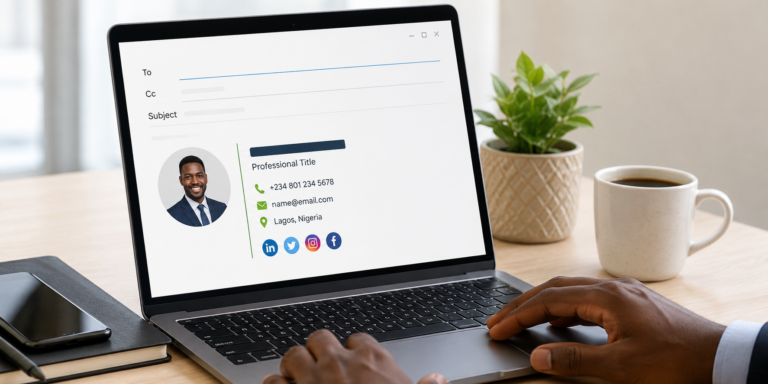
Contact information ends the document. Email address, phone number if comfortable sharing, and links to your social media accounts. Make it easy for brands to reach you.
Tools to Create Your Media Kit
Canva is the best free tool for designing a media kit on your phone. It offers media kit templates that you can customize with your information. Search for media kit templates, select one with a clean professional look, and replace the placeholder content with your own.
Avoid overly designed templates with busy backgrounds and difficult-to-read fonts. Clean, simple designs communicate professionalism. Your information should be the focus, not the decorative elements.
Google Slides works if you prefer simpler design tools. Create a new presentation, set the page size to standard letter dimensions, and build your media kit slide by slide. Export as PDF when complete. The result looks less polished than Canva but is perfectly functional.
PowerPoint on mobile works similarly to Google Slides. The advantage is offline editing if you have the app installed.
Save your final media kit as a PDF. PDFs open reliably on any device. Brands can view them without special software. The file size should be small enough to attach to emails or send via WhatsApp.
Media Kit Content Checklist
| Section | What to Include | Required |
|---|---|---|
| Photo & Name | Professional headshot, full name or creator name | Yes |
| Bio | 3-4 sentences about you and your content | Yes |
| Audience Demographics | Age, gender, location, interests | Yes |
| Platform Metrics | Followers, views, engagement rate per platform | Yes |
| Past Collaborations | Brand names, content type, results | If available |
| Collaboration Options | Formats offered, pricing (optional) | Yes |
| Contact Information | Email, phone, social links | Yes |
Gathering Accurate Audience Data
Your media kit is only as credible as the data inside it. Spend time collecting accurate numbers before designing.
Instagram insights are available on business or creator accounts. Go to your profile, tap the insights button, and review your audience demographics, content reach, and engagement metrics. Screenshot these for reference while building your media kit.
TikTok analytics similarly requires a pro account. The followers tab shows audience demographics. The content tab shows video performance. Export or screenshot relevant data.
YouTube Studio provides detailed analytics including audience demographics, watch time, and traffic sources. The audience tab shows who watches your content. The reach tab shows how viewers find you.
For blogs or websites, Google Analytics provides audience data. Demographics, interests, geographic location, and traffic sources are all available in the audience section.
If you are new and your numbers are modest, include growth rate instead of absolute numbers. A creator who grew from zero to five hundred engaged followers in three months is more attractive than a stagnant account with two thousand followers. Growth signals momentum.
Pricing Your Services
This is where many Nigerian creators freeze. How much do you charge? Too high and brands walk away. Too low and you undervalue your work.
Research what creators at your level charge. Ask fellow creators in your niche. Join creator communities where pricing is discussed. Do not copy prices exactly but understand the range.
Factor in your production costs. Time spent filming, editing, and posting. Equipment and software costs. Data costs if uploading large video files. Your price must exceed your costs significantly, otherwise you are paying to work.
Consider the brand’s benefit. What is the value of reaching your audience? If you recommend a fifty thousand naira product and your audience trusts you, even a few sales generate significant revenue for the brand. Your fee should reflect a fraction of the value you create.
Start with prices you can deliver confidently. As your audience grows and your content improves, increase rates. Existing clients may resist sudden price jumps so announce changes in advance or grandfather long-term partners at previous rates.
Keeping Your Media Kit Updated
A media kit is not a one-time creation. Your numbers change. Your content evolves. Your past collaborations grow.
Update your media kit every three months. Refresh audience statistics. Add recent successful collaborations. Remove outdated information. An outdated media kit with last year’s follower count looks careless.
Keep the editable Canva file or Google Slides file. Updating an existing design is faster than recreating from scratch. Each quarter, swap in new numbers, add new screenshots, and export a fresh PDF.
What to Avoid
Do not use someone else’s media kit template without heavy customization. Brands receive multiple kits. If yours looks identical to another creator’s, it signals low effort.
Do not include irrelevant personal information. Your favourite colour, your hobbies, your relationship status. Unless these directly relate to your content niche, they clutter the document.
Do not make claims you cannot verify. “Fastest growing creator in Nigeria” requires evidence. Stick to factual statements supported by data.
Do not send media kits as Word documents. They lose formatting when opened on different devices. PDF only.
Do not forget to proofread. Spelling and grammar errors in a professional document damage your credibility. Ask someone to review before sending.
Frequently Asked Questions
Do I need a media kit if I have less than one thousand followers?
Yes. Having a media kit ready before brands ask shows professionalism. Even with a small audience, a well-designed media kit communicates that you take your creator work seriously. Update it as your numbers grow.
Can I create a media kit on my phone?
Yes. Canva mobile app, Google Slides, and PowerPoint all work on Android and iPhone. Design, export to PDF, and send all from your phone. Thousands of Nigerian creators operate this way.
Should I include my rates in the media kit?
It depends. Some creators include starting rates to filter out brands with very small budgets. Others prefer to discuss pricing after understanding the scope of work. Either approach works. If your rates are flexible based on deliverables, discuss in conversation rather than listing fixed prices.
What if I have never worked with brands before?
Include examples of your best organic content. Highlight posts that received high engagement. Mention any collaborations you did for free or in exchange for products. Brands want to see that you can create engaging content. Past paid collaborations help but are not required.
How long should my media kit be?
One to three pages. Shorter is generally better. Brands review many kits quickly. Make your key information visible at a glance.
Create Yours This Week
Open Canva on your phone. Search for a media kit template. Spend one hour replacing placeholder content with your information. Export as PDF. Name the file clearly with your name and the date.
The next time a brand emails you, the media kit is ready. You respond within hours with a professional document that makes you look prepared and serious. That impression alone can be the difference between getting the deal and losing it.
Your content got their attention. Your media kit proves you are worth investing in. Make it today.