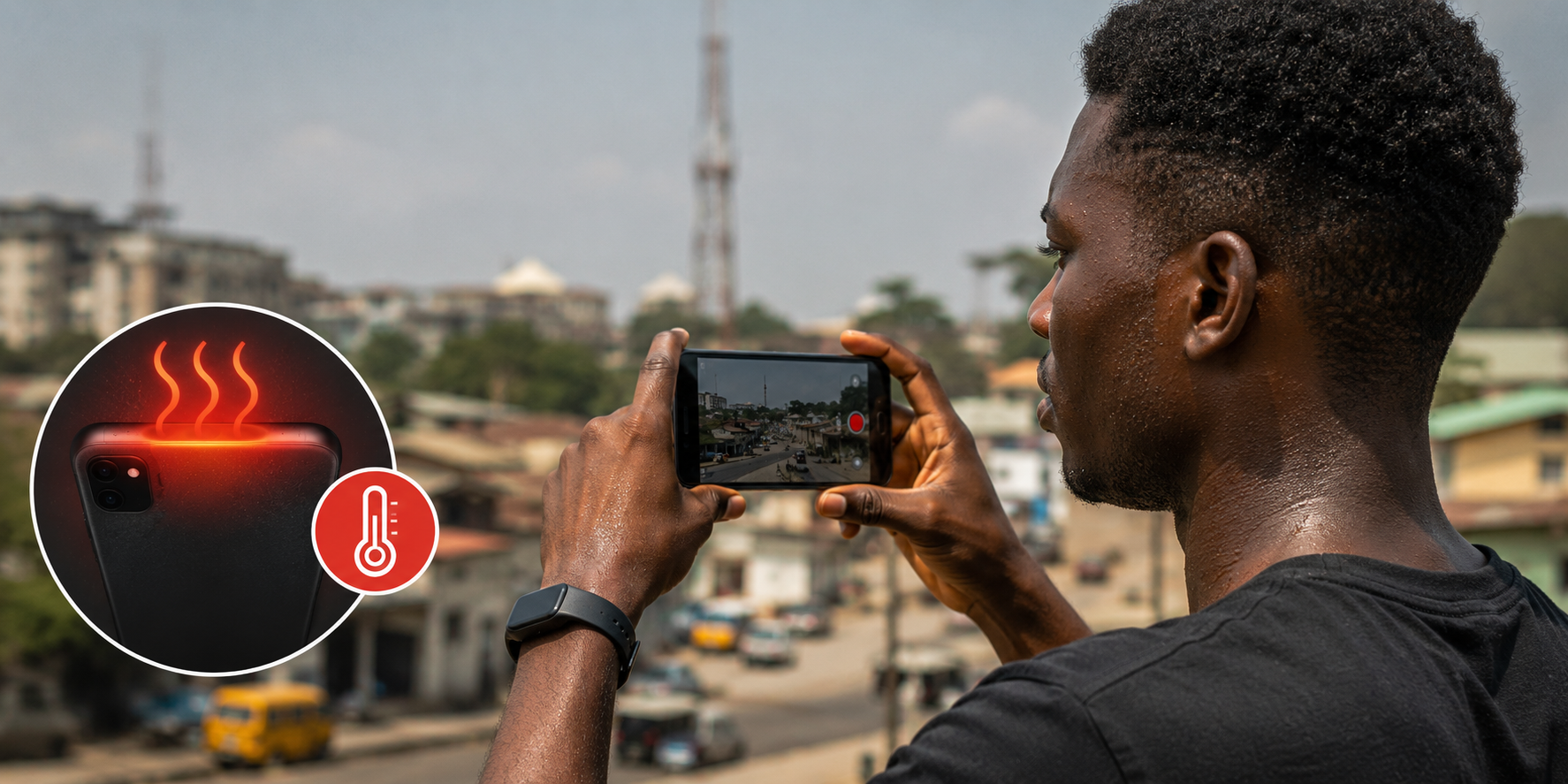
You set up your phone to record a video. The lighting is decent. The content is solid. Ten minutes into recording, the phone feels hot against your palm. Fifteen minutes in, a warning pops up. Phone temperature too high. Recording will stop. Your video cuts off mid-sentence and you are left with a corrupted file and a phone too hot to hold against your ear.
This happens to Nigerian content creators constantly. The combination of tropical heat, long recording sessions, and phones not designed for our climate creates a frustrating limitation on content production.
Phone overheating during video recording is not random. It has specific causes. And there are practical fixes that do not require buying a new phone or recording inside a freezer.
Why Phones Get Hot During Recording
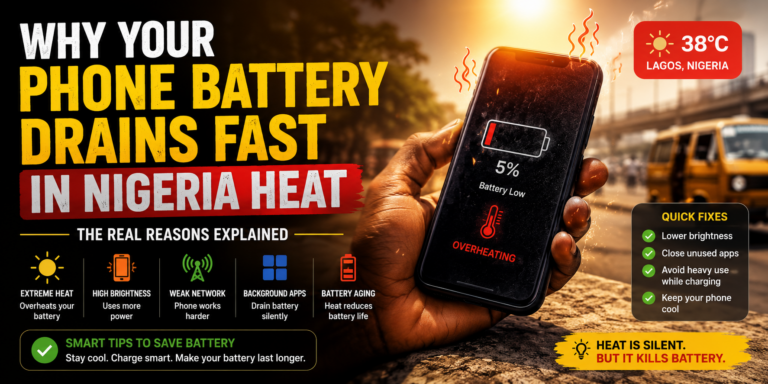
Video recording pushes a phone to its limits. The processor works at maximum capacity encoding video in real time. The screen stays on at high brightness so you can see what you are filming. The camera sensor draws power continuously. The battery discharges rapidly while all this happens. Each of these activities generates heat.
Under normal conditions, the phone dissipates this heat through its body. The metal frame, the glass back, the screen. All act as radiators that transfer heat from internal components to the surrounding air. The system works when the surrounding air is cooler than the phone.
Nigeria complicates this. Ambient temperatures regularly exceed thirty degrees Celsius. When the air around your phone is already hot, heat transfer slows. The phone cannot shed heat fast enough. Internal temperature climbs until safety systems intervene and shut down recording.
Direct sunlight accelerates overheating dramatically. Filming outdoors under the Nigerian sun adds solar radiation to the internal heat load. The phone absorbs sunlight through its screen and body. Surface temperature spikes within minutes.
Phone cases trap heat. Thick protective cases designed to survive drops also insulate the phone. Heat that should dissipate into the air gets trapped between the phone body and the case. The phone becomes an oven with the case acting as insulation.
Background apps add to the problem. Apps running in the background consume processor resources. The processor works harder. More heat generates. Before you even start recording, your phone is already warmer than it should be.
Charging while recording compounds the issue. Charging generates its own heat through the battery and charging circuitry. Recording generates heat through the processor and camera. Doing both simultaneously pushes thermal limits quickly.
Practical Fixes That Actually Work
The goal is to reduce heat generation and improve heat dissipation. Both sides of the equation matter.
Record in shorter segments. Instead of one continuous thirty-minute video, record in five-minute segments with breaks between. The phone cools during breaks. Editing software stitches the segments together seamlessly later. Your audience will not notice the recording breaks. Your phone will survive the session.
Remove the phone case before recording. Every case, even thin ones, traps some heat. Removing the case exposes the phone body directly to air. Heat dissipates faster. The phone stays cooler longer. Replace the case when recording ends.
Record in shaded areas. If filming outdoors, find shade. Under a tree, beneath an umbrella, inside a parked car with windows open. Any reduction in direct sunlight significantly lowers the phone’s surface temperature.
Reduce screen brightness during recording. The screen does not need to be at maximum brightness while you record. Lower it to a level where you can still frame the shot. Less brightness means less power consumption and less heat.
Close background applications before recording. Swipe away every app you are not actively using. Restart the phone before a long recording session to clear background processes that accumulate over hours of use. A fresh phone runs cooler.
Use airplane mode when possible. Mobile data, WiFi, and Bluetooth all consume power and generate heat. If your recording does not require internet access, enable airplane mode. The phone focuses all resources on recording without managing network connections.
Position a small fan near your recording setup. Even a cheap USB fan blowing across the phone significantly improves heat dissipation. Moving air carries heat away faster than still air. This simple addition extends recording time noticeably.
Record during cooler hours. Early morning and evening provide lower ambient temperatures. The phone starts cooler and takes longer to overheat. Plan important recordings for these windows.
Use a phone mount or tripod. Holding the phone transfers body heat into the device. A tripod isolates the phone from your hand. The phone only deals with its own generated heat, not yours as well.
Avoid charging during recording sessions. Charge the phone fully before starting. If the battery runs low, take a charging break between recording segments rather than charging while recording.
Quick Reference: Do’s and Don’ts
| Do This | Why It Helps |
|---|---|
| Record in 5-10 minute segments | Allows phone to cool between takes |
| Remove phone case | Improves heat dissipation |
| Record in shade | Reduces solar heat absorption |
| Lower screen brightness | Reduces power consumption and heat |
| Close background apps | Reduces processor load |
| Enable airplane mode | Cuts network-related heat generation |
| Use a small fan | Active cooling improves heat dissipation |
| Use a tripod | Isolates phone from body heat |
| Charge before recording | Avoids charging heat during recording |
What Does Not Work
Some popular advice circulates online that either does not help or actively causes damage.
Putting your phone in a refrigerator or freezer provides immediate cooling but introduces risks. Rapid temperature change creates condensation inside the phone. Moisture damages internal components. The cooling feels satisfying but the long-term damage is not worth the short-term fix.
Using cooling apps that claim to reduce phone temperature is ineffective. These apps work by closing background processes, which you can do manually. Some actually increase heat by running their own background processes while displaying ads. Phone cooling apps are mostly placebo.
Applying ice packs directly to the phone risks condensation damage similar to refrigerators. If you use external cooling, use a fan or ambient cooling rather than extreme cold sources.
Phone-Specific Considerations
Different phones handle heat differently. Understanding your device helps manage expectations.
Budget Android phones often use less efficient processors that generate more heat per task. They also tend to have simpler thermal management. These phones overheat faster during recording. Short recording segments are especially important.
Mid-range and flagship phones incorporate better thermal management. Heat pipes, vapour chambers, and graphite sheets spread heat across the phone body more effectively. These phones still overheat in Nigerian conditions but take longer to reach critical temperatures.
Older phones with degraded batteries generate additional heat. A battery nearing end of life runs hotter than a fresh battery. If your older phone overheats quickly during recording, battery replacement might help.
iPhones have aggressive thermal management that shuts down features earlier than some Android phones. The infamous iPhone temperature warning appears quickly in direct sunlight. iPhone users should be especially diligent about shade and short recording segments.
When Overheating Indicates a Problem
Occasional overheating during long recording sessions in hot conditions is normal. Frequent overheating during short recordings or in moderate conditions suggests a problem.
Check for background apps you might have missed. Some apps resist being closed and restart themselves. Check running services in developer options if enabled on your phone.
Check battery health. A swollen battery or one with significantly reduced capacity runs hot. Physical inspection reveals swelling. Battery health settings on iPhones and some Android phones show capacity percentage. Below eighty percent indicates replacement time.
Check for malware or bloatware. Unwanted software running hidden processes increases processor load and heat. Uninstall suspicious apps. Run Google Play Protect or a reputable security scan.
Check for pending software updates. Sometimes a software bug causes excessive processor usage. Updates often include fixes for thermal management issues.
If the phone overheats during light use, not just recording, professional diagnosis is warranted. This could indicate failing hardware, degraded thermal paste between processor and heat sink, or a defective battery. Visit a reputable repair shop.
Recording in Nigeria Heat: A Summary Workflow
Before recording: Charge the phone fully. Restart the device. Close all background applications. Remove the case. Enable airplane mode if internet is not needed. Reduce screen brightness. Set up in shade if outdoors. Position a small fan if available.
During recording: Work in short segments. Five to ten minutes maximum per take. Allow the phone to rest between segments. Monitor phone temperature by touch. If it feels uncomfortably warm, extend the break.
After recording: Replace the phone case. Re-enable network connections. Transfer footage to storage or cloud backup. Allow the phone to cool completely before charging.
This workflow adds a few minutes to your recording process. In exchange, you get reliable recordings without interruptions, corrupted files, or long-term damage to your device.
Frequently Asked Questions
Can overheating permanently damage my phone?
Yes. Repeated overheating degrades the battery faster and stresses internal components. Most phones have safety shutoffs that prevent immediate catastrophic damage. But chronic overheating shortens the overall lifespan of the device.
Is it safe to record while charging with a power bank?
Not recommended for long recordings. Power bank charging generates heat similar to wall charging. Combined with recording heat, the phone reaches critical temperatures faster. Charge fully before recording. Use power bank during breaks between segments.
Do camera apps affect overheating?
Yes. Some camera apps are more efficient than others. The default camera app is usually optimized for your specific phone. Third-party camera apps may use more processing power and generate more heat. Test different apps to see which runs coolest on your device.
Why does my phone overheat more now than when it was new?
Battery degradation is the most common cause. As batteries age, internal resistance increases and they generate more heat during use. Processor thermal paste can also degrade over time, reducing heat transfer efficiency. Both are normal aging processes.
Will a cooling phone case help?
Some cases include cooling fans or heat dissipation materials. These can help marginally. Removing the case entirely is usually more effective than buying a special cooling case. For extreme situations, active cooling cases exist but add bulk and cost.
Keep Recording Without the Burn
Your phone is a capable recording tool. Nigerian heat is an obstacle but not a barrier. Short segments, shade, case removal, and breaks between takes solve most overheating problems.
Test your setup this week. Record a practice video using the workflow above. Note how long your phone records before feeling warm. Find your rhythm. Build your process around your phone’s thermal limits rather than fighting against them.
Consistent content creation requires reliable equipment. Your phone, managed properly, is reliable enough. The heat does not have to stop your recording. Work with it, around it, and keep creating.