Your phone buzzes. You check WhatsApp. Someone has sent a voice note. The timer shows 7 minutes and 42 seconds.
You are in a noisy place. Your earphones are missing. You do not have the data to stream a long audio. Or maybe you simply do not want to listen to someone ramble for eight minutes when the actual message could fit into two sentences.
Voice notes are popular among Nigerians for good reason. They are faster to record than typing. They convey tone and emotion that text loses. But receiving them is not always convenient.
What if you could read every voice note instead of listening to it? What if AI could tell you the key points in thirty seconds?
This is possible right now using free tools on your phone. I tested five different methods and found what works reliably for Nigerian users.
Why Use AI for Voice Note Summaries
Some voice notes contain information you need to reference later. A client explaining project requirements. A lecturer clarifying an assignment. A vendor describing product options. Listening repeatedly to find specific details wastes time. A text summary is searchable and easy to revisit.
Some voice notes arrive when you cannot listen. During a meeting. In a quiet environment. Late at night when others are sleeping. Reading a summary solves the timing problem.
Some voice notes simply take too long. The sender repeats themselves. They include unnecessary background. They think out loud while forming their point. The useful content is buried inside the filler. AI extracts what matters.
The goal is not to avoid listening to loved ones. Personal voice notes from family and close friends deserve your full attention. The goal is handling information-heavy voice notes more efficiently.
Method 1: Google Live Transcribe Plus AI Summarizer
This method uses two free tools. Google Live Transcribe converts speech to text in real time. An AI chatbot like ChatGPT or Poe summarizes the transcript.
Step by step on Android. Download Google Live Transcribe from the Play Store if not already installed. It is free and made by Google. Open the app. It begins listening and displaying text immediately.
Play the WhatsApp voice note on speaker. Hold the phone close to the Live Transcribe device or use the same phone if speaker audio is clear enough. Watch the text appear as the voice note plays.
When the voice note ends, you have a rough transcript on screen. Tap and hold to select all text. Copy it.
Now open ChatGPT or Poe. Paste the transcript. Add this prompt:
“I am giving you a rough transcript from a WhatsApp voice note. Please summarize the key points in bullet points. Also list any action items or requests the speaker made. Ignore transcription errors where possible.”
The AI returns a clean summary. Read it in under a minute.
This method is completely free. It requires no special accounts beyond what you likely already have. Accuracy depends on how clearly the speaker enunciates and how much background noise exists during playback.
Method 2: Screen Recording Plus Otter
This method captures better audio quality than playing through speakers.
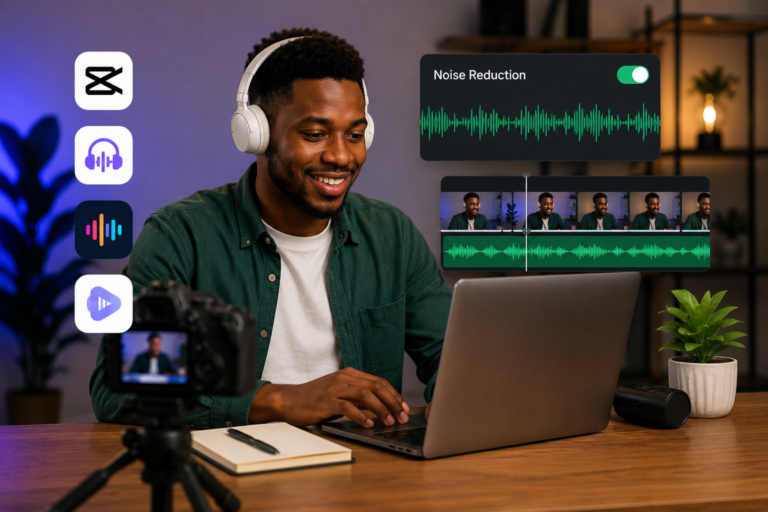
Start a screen recording on your phone while the voice note plays. Most Android phones include screen recording in the quick settings panel. iPhones have it in Control Centre. Enable microphone audio in the recording settings so the voice note sound is captured.
The resulting video file contains the voice note audio. Upload this video to Otter, a transcription platform. Otter offers a free plan with 300 minutes of transcription monthly. Each upload can be up to 30 minutes.
Otter processes the file and generates a transcript. The transcript quality is higher than the speaker playback method because the audio source is direct, not recorded through a microphone across a room.
Copy the Otter transcript and paste into ChatGPT or Poe for summarization. Same prompt as Method 1.
Otter also has a mobile app. You can upload files directly from your phone. The platform handles Nigerian accents reasonably well though clarity of speech remains important.
Method 3: ChatGPT Direct Audio Input
OpenAI has been rolling out audio input features in the ChatGPT mobile app. Availability varies by region and account type.
Open your ChatGPT app. Look for a headphone or microphone icon near the message input area. If present, tap it. The app listens to audio directly.
Play the WhatsApp voice note while ChatGPT listens. The app transcribes the speech and can respond immediately. Once transcription appears, type your request for a summary.
This method eliminates the multi-step process. Everything happens inside one app. The limitation is feature availability. Check your app regularly. Features expand over time.
Method 4: Forward to a Clean Chat for Recording
This method helps when you need to archive voice notes for future reference.
Create a WhatsApp chat with only yourself or a trusted contact where you forward important voice notes. This isolates the voice notes from busy chat threads.
Open a voice recording app on a second phone or laptop. Play the forwarded voice note. Record the audio. The resulting file is yours to keep and process.
Upload this recording to any transcription service. Otter, Turboscribe, Microsoft Word online transcription, or similar tools. The transcript quality depends on the recording clarity.
This method makes sense for voice notes containing information you want to save long term. Meeting briefings, detailed instructions, important announcements. Once transcribed and summarized, the information is searchable and organized.
Method 5: Dedicated Transcription Apps
Several apps are built specifically for converting WhatsApp voice notes to text.
Transcriber for WhatsApp is available on Android. You forward voice notes to the app. It returns a text transcript. The app uses speech recognition similar to Google’s engine. Accuracy is comparable to Google Live Transcribe.
Voicepop works across multiple messaging platforms including WhatsApp. You share voice notes with the app. It delivers text versions. The free tier includes a limited number of transcriptions monthly.
These apps simplify the workflow but introduce another app with access to your messages. Review privacy policies before granting permissions. For casual, non-sensitive voice notes, the convenience may be worthwhile.
Which Method Should You Use
The best method depends on your situation.
For quick, casual voice notes, Google Live Transcribe plus ChatGPT is the fastest. No accounts needed beyond free tools. Works immediately.
For important voice notes where accuracy matters, the screen recording plus Otter method produces cleaner transcripts. The extra steps are worth the improved quality.
For users with ChatGPT audio input enabled, that direct method is the simplest. One app handles everything.
For voice notes you want to archive, forward to a dedicated chat and record externally. The transcript becomes a permanent searchable record.
Comparison Table
| Method | Free | Ease of Use | Accuracy | Requires Second Device |
|---|---|---|---|---|
| Google Live Transcribe + AI | Yes | Easy | Good | No |
| Screen Recording + Otter | Free tier | Medium | Very Good | No |
| ChatGPT Audio Input | Depends | Very Easy | Good | No |
| Forward and Record | Yes | Medium | Good | Yes |
| Dedicated Apps | Free tier | Easy | Good | No |
Limitations to Know
Nigerian accents and Pidgin English reduce transcription accuracy across all methods. Clear, slow speech transcribes better than rapid or heavily accented speech. Background noise during playback degrades results. Quiet environments produce better transcripts.
These tools work best with voice notes spoken in standard English at a moderate pace. Voice notes mixing English with Yoruba, Igbo, Hausa, or Pidgin will produce messy transcripts. AI summarization can still extract main ideas from messy text, but details may be lost.
Privacy matters. Voice notes are private communications. Uploading them to cloud transcription services means audio passes through external servers. For sensitive content containing personal, financial, or confidential information, use offline methods or simply listen to the voice note. For general communications, the convenience of AI summarization outweighs the privacy risk for most users.
Putting Summaries to Use
Once you have the summary, make it actionable. Copy action items into your to-do list. Save reference information into a note-taking app. Forward the summary to others who need the information but cannot listen to the original voice note.
If the summary reveals that the voice note requires your response, respond promptly. The sender will appreciate that you acknowledged their message even though you did not listen to the full recording.
Frequently Asked Questions
Can ChatGPT summarize WhatsApp voice notes directly?
Not directly. ChatGPT cannot access WhatsApp voice notes inside the app. You must first convert the voice note to text using a transcription method, then paste the text into ChatGPT for summarization. Some versions of the ChatGPT mobile app accept audio input, but you still need to play the voice note for the app to hear it.
Is Google Live Transcribe free?
Yes. Google Live Transcribe is completely free. It comes pre-installed on some Android phones and is available for download on the Play Store. There are no premium tiers, no subscription fees, and no usage limits.
Can AI understand Nigerian accents?
Partially. Current AI transcription works best with standard English pronunciation. Mild Nigerian accents are handled reasonably well. Heavier accents, rapid speech, and mixed language voice notes produce more errors. The technology improves each year but is not yet perfect for all Nigerian speech patterns.
What if the voice note is in Pidgin English?
Current transcription tools struggle significantly with Pidgin. The models were not extensively trained on Nigerian Pidgin. You may get fragments of recognizable text mixed with gibberish. AI summarization might still extract some meaning from the fragments, but expect poor results. For Pidgin voice notes, listening directly remains more reliable than AI summarization.
Do these methods work on iPhone?
Yes. iPhone users can use the built-in dictation feature in the Notes app instead of Google Live Transcribe. Open a new note, tap the microphone on the keyboard, and play the voice note on speaker. The other methods including screen recording, Otter, and ChatGPT work the same on iPhone as on Android.
Try It Right Now
Open WhatsApp. Find a voice note you have not listened to yet. Open Google Live Transcribe on Android or Notes dictation on iPhone. Play the voice note. Watch the text appear. Copy it. Paste into ChatGPT with the summary prompt.
The first attempt will take a few minutes while you learn the flow. By the fifth voice note, the process will feel natural. You will wonder why you spent so many hours listening to voice notes you could have read in thirty seconds.