I recorded a full video tutorial last month. The lighting was decent. The content was solid. When I played it back, I could hear everything except my voice clearly. A generator rumbled in the distance. Someone was hammering three streets away. The neighbour’s dog barked at intervals. My voice competed with all of it and lost.
Bad audio ruins good content faster than bad video does. Viewers tolerate imperfect visuals. They do not tolerate audio that strains their ears. They scroll away. They click off. They find someone whose voice they can hear without effort.
Nigerian creators deal with noise that creators in quieter countries never face. Generators, traffic, hawkers, churches, mosques, rain on zinc roofs, neighbours who play music loud. Soundproofing is expensive and often impossible in rented apartments. The practical solution is a microphone that captures your voice clearly while rejecting the chaos around you.
I tested several budget microphones in real Nigerian conditions. Not in a studio. Not in a soundproof room. In my actual apartment with the windows open and the generator running outside. These are the results.
What to Look for in a Microphone for Noisy Environments
Understanding a basic concept helps when choosing a microphone. Microphones pick up sound in different patterns. The pattern determines what the microphone hears and what it ignores.
Cardioid microphones pick up sound from the front while rejecting sound from the sides and rear. This is what you want in a noisy environment. The microphone focuses on your voice and ignores what is behind it. If you position the back of the microphone toward the noise source, the noise rejection works in your favour.
Omnidirectional microphones pick up sound equally from all directions. These are terrible for noisy environments. They capture everything. Your voice, the generator, the traffic, the dog. Avoid omnidirectional microphones for recording in Nigeria unless you record in a controlled quiet space.
Lavalier microphones are the small clip-on mics often recommended for beginners. They work well because they sit close to your mouth. The closer the microphone is to your voice, the louder your voice is relative to the background noise. This physical proximity is a form of noise reduction.
USB microphones connect directly to your phone or laptop. They are larger than lavaliers but offer better sound quality. Many have cardioid patterns suitable for noisy environments.
Wireless microphones offer freedom of movement. Budget wireless options have improved significantly. They allow you to record without a cable connecting you to your phone.
Microphones Tested
I selected microphones available on Jumia, Konga, or from local electronics markets. All cost under thirty thousand naira at the time of testing. Prices fluctuate so check current listings.
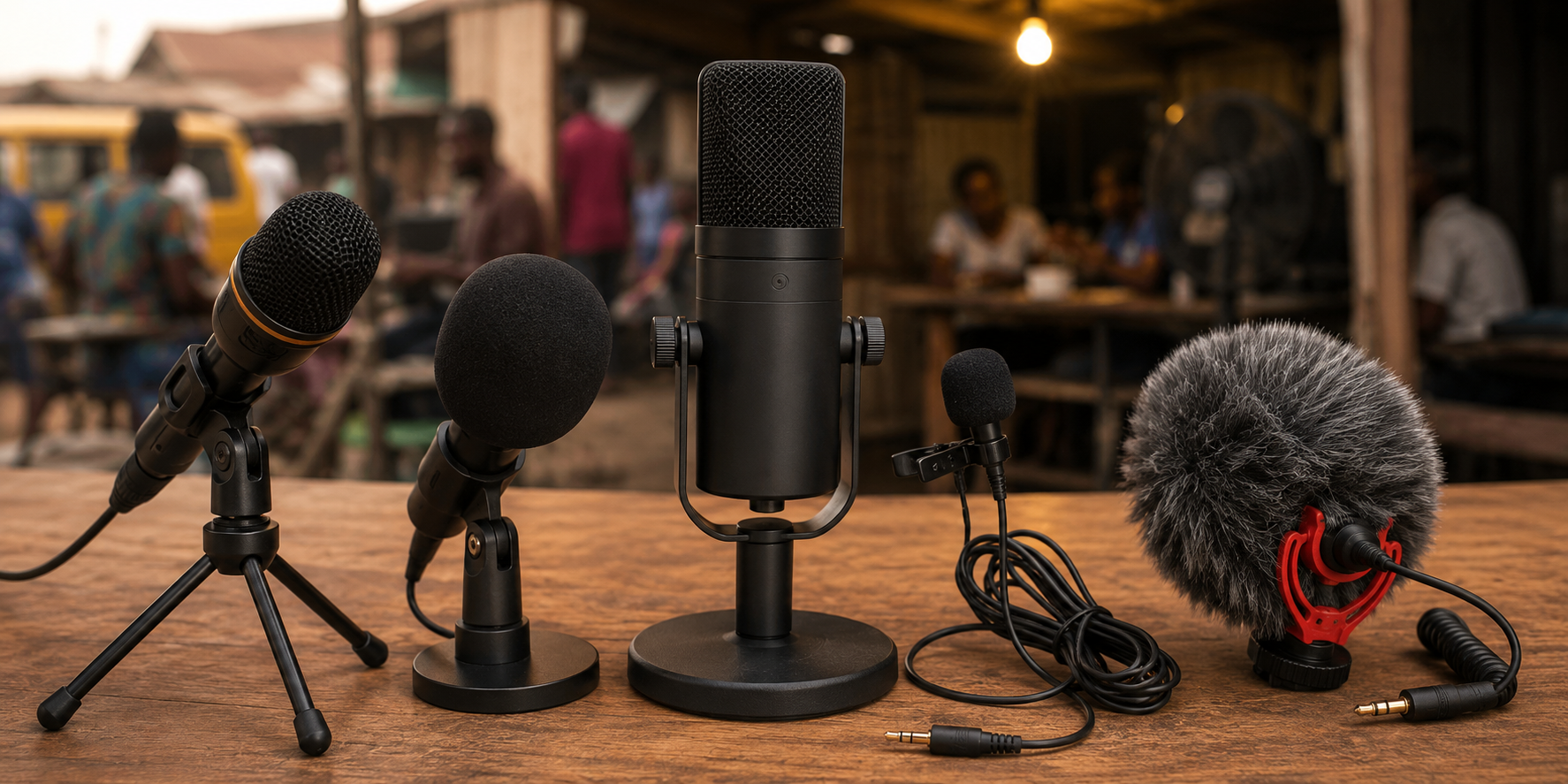
The BOYA BY-M1 lavalier microphone is widely available and costs between four thousand and seven thousand naira. It is a wired clip-on microphone that works with phones and cameras. The cable is long enough to allow some movement.
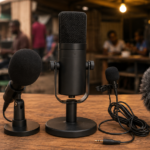
The Fifine K669B USB microphone costs between fifteen thousand and twenty thousand naira. It is a desktop USB microphone with a cardioid pattern. It requires a phone that supports USB OTG or a laptop.
The Maono AU-04 USB microphone costs between twenty thousand and twenty-eight thousand naira. It is another desktop USB microphone with a cardioid pattern. It comes with a small tripod stand and a pop filter.
The Boya BY-XM6 wireless lavalier system costs between twenty-five thousand and thirty thousand naira. It includes two transmitters and one receiver. It works with phones and cameras.
The Newer NW-800 is often recommended in Nigerian creator groups. It costs between eight thousand and twelve thousand naira. It requires phantom power which most phones cannot provide. I included it because it is so frequently recommended but it is not suitable for phone recording without additional equipment.
I also tested the built-in microphone on my phone as a baseline for comparison. A mid-range Android device with no external microphone.
Test Environment and Method
I recorded the same script in the same location with each microphone. The script included normal speech, a whisper, and a louder passage to test how microphones handle different volumes.
The test environment was my living room. Windows open. Ceiling fan running. Generator operating outside at a distance of approximately fifteen meters. Occasional traffic noise from the street.
I recorded directly into my phone using a recording app. For microphones requiring USB connection, I used a USB OTG adapter. Levels were set once at the beginning and not adjusted during recording.
I listened back on both headphones and phone speakers. Phone speakers represent how most Nigerian viewers will hear your content.
BOYA BY-M1 Lavalier
This microphone is the most affordable option that produces usable results. It is a wired lavalier that clips to your collar.
The sound quality is noticeably better than the phone built-in microphone. My voice sounded clearer and more present. The microphone captured less room echo.
Background noise was still audible but reduced. The generator hum was quieter in the recording than it was in real life. The microphone did not eliminate noise but it pushed it into the background.
The cable is both a strength and a weakness. The length allows movement. The cable also transmits noise when it rubs against clothing. You hear a rustling sound if the cable moves while recording. Securing the cable with the included clip reduces this.
For the price, this microphone is excellent value. It is the minimum I would recommend for any Nigerian creator recording in a noisy environment. It will not produce studio-quality audio but it will make your voice much clearer than the phone microphone.
Fifine K669B USB
This USB microphone is a noticeable step up from the lavalier. My voice sounded richer and fuller. The cardioid pattern rejected more background noise than the omnidirectional lavalier.
The generator hum was significantly quieter in this recording. The traffic noise was barely audible. The ceiling fan which the lavalier picked up was almost completely absent.
The microphone sits on a desk. You must position yourself correctly. Your mouth should be about fifteen to twenty centimeters from the microphone. Speaking directly into the front of the microphone produces the best sound. Moving off-axis reduces quality noticeably.
This microphone requires a USB connection. It worked with my Android phone using a USB OTG adapter. It also works with laptops without adapters. If your phone does not support USB OTG, this microphone will not work for you.
For creators who record at a desk, this is an excellent budget option. The sound quality approaches what more expensive microphones produce. The noise rejection is very good for the price.
Maono AU-04
The Maono performed similarly to the Fifine. Sound quality was comparable. Noise rejection was comparable. The differences were minor.
The included accessories set the Maono apart. The tripod stand is stable. The pop filter reduces harsh sounds from words with strong air blasts like words containing P or B sounds. These accessories add value without additional cost.
The Maono is slightly more expensive than the Fifine. If the accessories matter to you, the extra cost is justified. If you already have a stand, the Fifine produces equivalent sound for less money.
Boya BY-XM6 Wireless
Wireless freedom changes the recording experience. You are not tied to a desk. You can move, gesture, and reposition naturally while recording.
The sound quality is similar to the wired BOYA lavalier. It is a lavalier microphone without the cable. The same sound characteristics apply. Clear voice, reduced but not eliminated background noise, occasional rustling if the transmitter rubs against clothing.
The wireless connection was reliable during testing. No dropouts. No interference. The range is sufficient for recording within a room. You can leave your phone on a tripod and move around while speaking.
The dual transmitter setup allows recording two people simultaneously. If you interview guests or record conversations, this feature is valuable. Each person wears a transmitter and both voices are captured cleanly.
Battery life is adequate for recording sessions of several hours. The transmitter charges via USB. The receiver connects to your phone.
This is the best option for creators who move while recording or record in different locations around their space. The freedom of movement justifies the higher price.
Newer NW-800
This microphone is frequently recommended and I understand why people buy it. It looks professional. It is inexpensive. Unfortunately, it is a poor choice for phone recording.
The NW-800 requires phantom power to function properly. Phantom power is typically provided by audio interfaces or mixers. Phones do not provide phantom power. When connected directly to a phone using adapters, the signal is very weak and noisy.
The recording I obtained was unusably quiet. Boosting the volume in editing amplified the background noise to unacceptable levels. The microphone itself may be capable of decent sound when properly powered. For phone recording without additional equipment, it is not suitable.
I include this review because many Nigerian creators buy this microphone on recommendations that do not explain the power requirement. If someone tells you to buy the NW-800, ask them whether they use it with an audio interface. If you do not own an audio interface, avoid this microphone.
Phone Built-In Microphone
The baseline for comparison. My phone microphone recorded usable audio in a quiet environment. In the noisy test environment, my voice was unclear. Background noise competed directly with speech. The overall recording sounded amateur.
The phone microphone is fine for casual content in controlled conditions. For any content you care about, an external microphone is a worthwhile investment.
Microphone Comparison Table
| Microphone | Price Range (₦) | Type | Noise Rejection | Best For |
|---|---|---|---|---|
| BOYA BY-M1 | 4,000 – 7,000 | Wired Lavalier | Moderate | Budget, mobile recording |
| Fifine K669B | 15,000 – 20,000 | USB Desktop | Good | Desk recording, USB OTG phones |
| Maono AU-04 | 20,000 – 28,000 | USB Desktop | Good | Desk recording, includes accessories |
| Boya BY-XM6 | 25,000 – 30,000 | Wireless Lavalier | Moderate | Movement, interviews, two people |
| Newer NW-800 | 8,000 – 12,000 | XLR Condenser | Poor (without interface) | Not for phone recording |
| Phone Built-In | Free | Built-in | Poor | Casual content only |
Which Microphone Should You Buy
If your budget is tight, buy the BOYA BY-M1. It costs less than ten thousand naira and significantly improves your audio. The improvement is immediately noticeable to viewers.
If you record at a desk and your phone supports USB OTG, buy the Fifine K669B. The cardioid pattern rejects noise better than lavalier microphones. Your recordings will sound more professional.
If you record at a desk and want accessories included, buy the Maono AU-04. The stand and pop filter add value.
If you move while recording or interview guests, buy the Boya BY-XM6 wireless system. Freedom of movement makes recording more natural and enjoyable.
If you are unsure, start with the BOYA BY-M1. It is affordable and improves your audio immediately. Upgrade later when you understand your recording style and needs better.
Microphone Technique Matters
A good microphone used poorly produces poor audio. A budget microphone used well produces decent audio.
Position the microphone close to your mouth. Ten to twenty centimeters is the sweet spot. Closer is better for noise rejection. Too close creates unpleasant bass and popping sounds.
Aim the microphone correctly. With cardioid microphones, the front faces your mouth. The back faces the noise source. This simple positioning maximizes noise rejection.
Use a pop filter or position the microphone slightly off-axis to reduce harsh sounds. The air blast from certain speech sounds hits the microphone directly when positioned straight on. A slight angle reduces this.
Record a test clip before recording your full video. Listen to the test. Check for background noise, rustling, and audio levels. Fix issues before committing to the full recording.
Frequently Asked Questions
Can I use these microphones with my iPhone?
The BOYA BY-M1 works with iPhones that have a headphone jack or using a lightning adapter. USB microphones require a lightning to USB adapter. Confirm compatibility before purchasing.
Do I need an audio interface for these microphones?
The BOYA BY-M1 and Boya wireless system do not need an audio interface. The USB microphones connect directly and do not need an interface. The NW-800 needs an audio interface which is why I do not recommend it for beginners.
Will a microphone completely eliminate generator noise?
No budget microphone completely eliminates loud background noise. A good microphone reduces the noise and makes your voice the dominant sound. Generators will still be faintly audible. This is acceptable for most content.
Should I buy a microphone or upgrade my phone first?
If your phone records decent video, buy a microphone. Audio improvement is more noticeable than video improvement for viewer experience. A budget phone with good audio sounds more professional than a flagship phone with terrible audio.
Can I use these microphones for live streaming?
Yes. All microphones tested except the NW-800 work for live streaming. The wireless system is particularly good for live content where cable freedom matters.
Record Better Audio This Week
Your audience tolerates imperfect video. They tolerate imperfect lighting. They do not tolerate audio that makes them strain to hear you. Bad audio loses viewers faster than any other production weakness.
Pick a microphone from this list that fits your budget. Order it today. When it arrives, record a test. Compare it to your phone microphone. The difference will be immediately obvious.
Clear audio communicates respect for your audience. It says you value their time and attention enough to make listening easy. The microphone pays for itself in viewer retention and professional credibility.